Restaurant Digital Signage Content Management
One dashboard for every menu item, promo, playlist, and screen. Change content once, publish, and every restaurant screen picks it up — no USB sticks, no reprints, no walking the floor.
What content management means for a restaurant screen
Content management is the day-to-day work of keeping what plays on your screens correct: menu items and prices, sold-out dishes, weekly specials, the order content loops in, and which screen shows what. It is the part of digital signage that decides whether your screens stay accurate or quietly drift out of date.
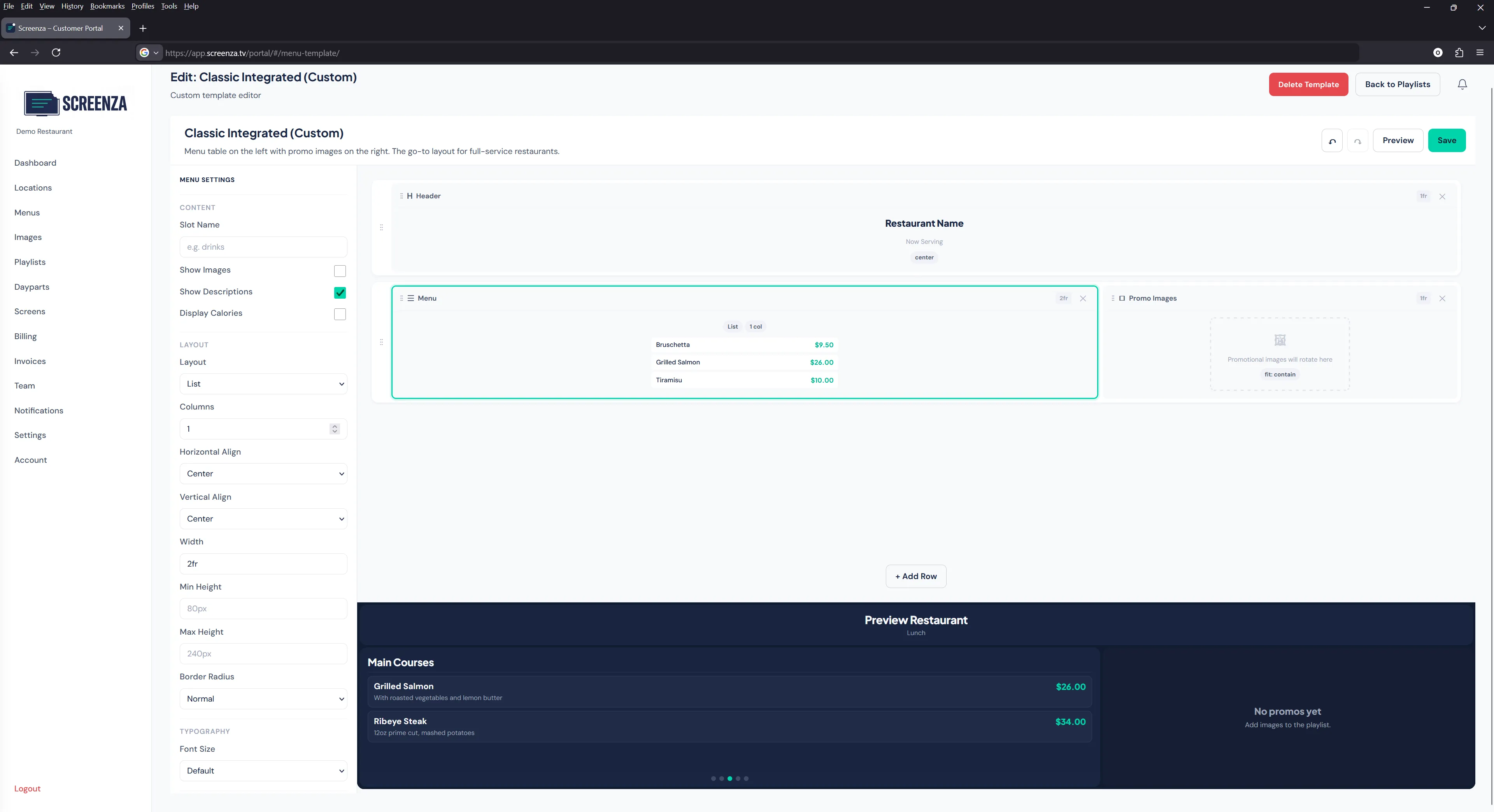
With printed boards, every change is manual. Someone edits the board with tape and markers, hangs a printed sign, or orders a reprint. With Screenza, content lives in one place: a digital menu board dashboard where menus, visuals, playlists, schedules, and screens are all managed together. When you publish a change, every screen reads the latest version automatically.
The result is simple: the price your customers see is the price you set, and updating a menu takes seconds instead of a trip to the printer.
What you manage from one place
Six kinds of content, one dashboard, one publish button.
Menus & prices
Items, descriptions, prices, and sold-out toggles. Import a menu from a photo or PDF, then edit anything as prices or dishes change.
Visuals
AI-generated menu boards, promo banners, and short videos — or your own photos and clips. Everything is stored with the menu it belongs to.
Playlists
The order and timing of what loops on screen. Put a menu first, follow it with a promo, and set how long each item stays up.
Dayparts & schedules
Breakfast, lunch, happy hour, and dinner windows, plus dated campaigns. See how digital weekly specials rotate automatically.
Screens & locations
Every screen, grouped by location. Publish to one screen, one location, or every location at once.
Monitoring
See which screens are online and what they are showing, so you know the menu is on screen before the lunch rush starts.
How a content update reaches every screen
From a price change to every display, in four steps.
Edit the menu. Update a price, hide a sold-out dish, or add a special in the menu editor — no design software involved.
Add the visuals. Generate a promo banner with AI or attach your own photo, video, or menu board design.
Publish. One publish updates the playlist version that your screens read. Nothing is sent to screens until you publish.
Screens sync. Each screen pulls the new version automatically. Cached content keeps playing if a connection drops, then syncs when it is back.
Step-by-step instructions for the first setup live in the menu board deployment guide and the Getting Started guide.
Multi-location content without duplication
Manage one restaurant or fifty from the same dashboard. Brand-level menus and layouts keep every location on-brand, while each location can still adjust prices, availability, and local specials without a separate system. Multiple team members can work in the same dashboard, so the person who updates prices does not have to be the person who designs visuals.
Why restaurants retire manual content updates
- No reprints. A price change never triggers a print run or a design fee. Compare the alternatives in Screenza vs. paper menus.
- No USB drives. Content reaches screens over the internet. You never copy files onto a stick and walk it to a TV.
- Fewer errors. One published menu is the single source of truth, instead of one board at the counter and another at the entrance with different prices.
- Faster reactions. A dish sells out at 1 p.m., you hide it from the menu before 1:01 p.m.
- Consistent branding. Every location uses the same layout, type, and visuals because they all pull from the same platform.
- Content that changes on schedule. Dayparts and dated campaigns swap menus without anyone touching a screen.
Content management questions
Can I update content on multiple screens at once?
Yes. Publish to a single screen, a single location, or every location from one dashboard. Common changes, like a brand-wide price update, can go everywhere in one publish.
Do I need a designer to update a menu?
No. Menus use templates and layouts, so editing items and prices does not require design skills. If you want new artwork, AI generation creates menu boards and promo banners from a short description.
How fast do screens update after I publish?
Screens pick up a published change within seconds on a normal connection. If a screen is briefly offline, it keeps playing cached content and syncs the update when it reconnects.
What happens to content when the internet is down?
Content is cached on each screen, so your boards keep playing through a connection drop. Updates you make while a screen is offline are applied as soon as it comes back.