What Is a Digital Menu Board?
A digital menu board is a screen that displays a restaurant’s menu, prices, and promotions — and can be updated in seconds instead of reprinted. This guide covers how they work, what you need to run one, and what they cost.
The short answer
A digital menu board is a TV or monitor that shows your menu instead of a printed board or paper menu. It usually replaces the boards behind a counter, but it can also hang on a wall, sit in a window, or stand at an entrance. The screen shows item names, prices, descriptions, and food imagery, and it can rotate between several boards and promotions.
What separates a digital menu board from a TV playing a video is the software behind it. A menu board is driven by menu data you can edit, so changing a price takes seconds, and different menus can take over automatically at different times of day. Restaurants also call this digital signage for restaurants or a screen menu — the terms overlap, and they all mean menu content on a screen.
The four parts of every digital menu board
Whatever the brand, a menu board system is made of the same pieces.
A display
Any TV or monitor with an HDMI input. Commercial displays are built for long hours, but a normal TV you already own works to start.
A player
The device that shows the content: a streaming stick, a mini PC, an Android box, or a browser on the TV itself.
Software
The dashboard where menus, visuals, playlists, and schedules live, and where every screen is managed.
Content
The menu boards and promo images themselves — designed layouts with your items, prices, and food photography.
From menu data to a screen in minutes
A menu board starts as a menu: items, prices, and descriptions. Screenza stores that menu once and turns it into designed boards. You do not position text on a canvas unless you want to; layouts handle the design.
Common menu board layouts
The layout decides how much menu fits on screen and how promotions share the space.
Full screen menu
One menu fills the entire screen. Best when the menu is the only thing customers need to see — counters, cafes, and quick-service lines.
Split menu and promo
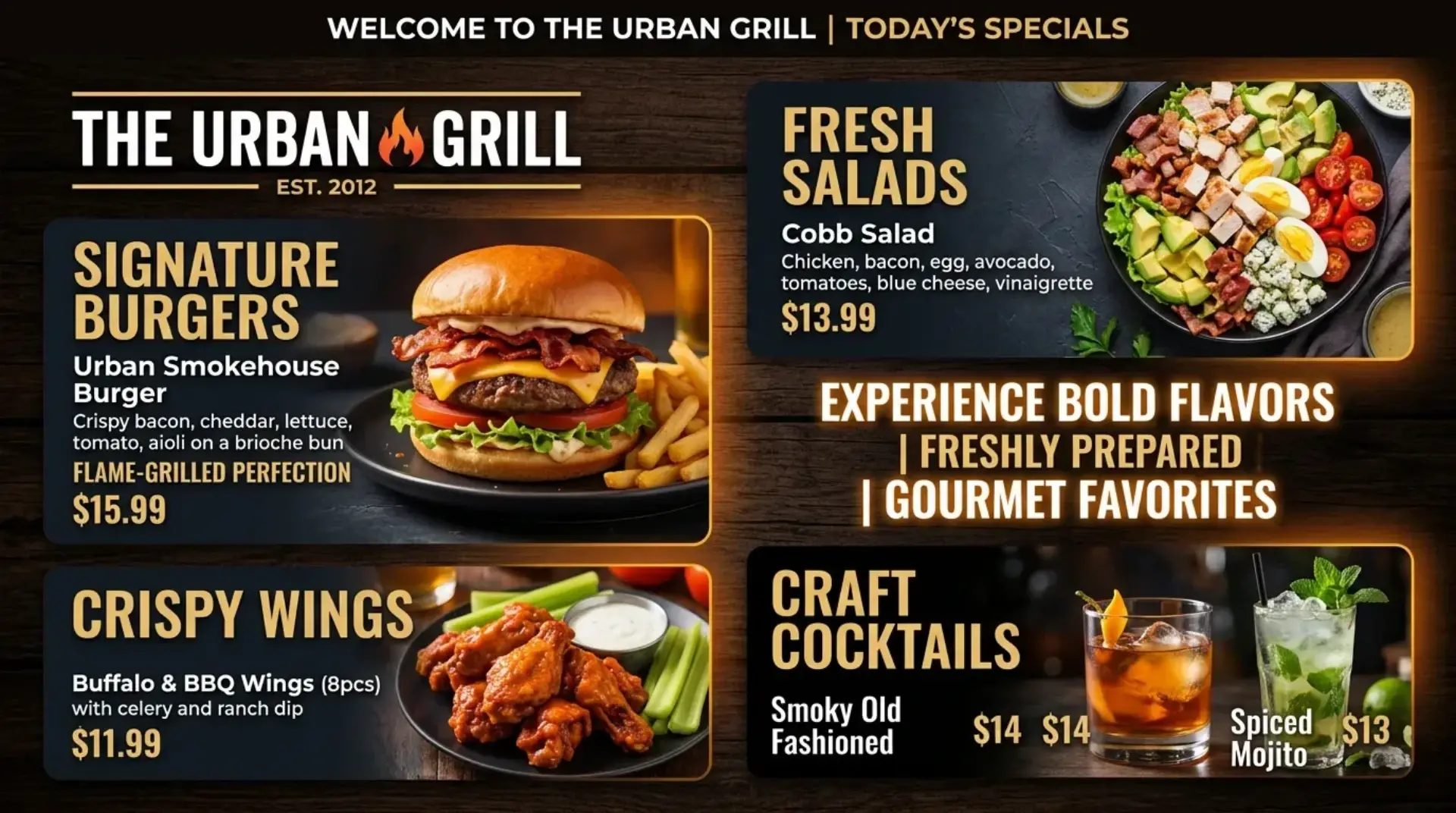
Menu on one side, a promotion or featured dish on the other. The screen sells an item while customers read the menu.
Rotating playlists
Several boards and promos loop one after another. Useful for long menus, weekly specials, or multiple dayparts on one screen.
Full screen menu signage, split layouts, and playlists all use the same menu data in Screenza — you choose the layout per board.
What you need to run one
The cheapest option is usually the equipment already on site.
| Setup | What you need | Best for |
|---|---|---|
| Browser | A smart TV or any device with a browser | Getting started today with zero extra hardware |
| Streaming stick | An HDMI stick or streaming device plus the free player | Turning an existing TV into a dedicated screen |
| Android player | An Android TV box, stick, or tablet with the free APK | Kiosk-mode screens that boot straight into the board |
| Windows mini PC | A small Windows PC with the free installer | Screens that stay on all day and restart on their own |
Downloads for every platform live on the player page.
What a digital menu board costs
Hardware is a one-time cost; software is monthly. On Screenza you can start on the Free plan with one screen, then pay per screen as you add more: Starter is $16 per screen per month, Growth is $28, and Multi-location is $42, with about 14% off on annual billing. You can run a screen on a TV you already own, so the first board often costs nothing beyond the subscription.
Compare that to the running cost of printed menus, which are reprinted whenever prices or dishes change. The full breakdown is in Screenza vs. paper menus, and current plan details are on the pricing section.
Digital menu board questions
Is a digital menu board the same as digital signage?
Digital signage is the broader category — any screen showing dynamic content. A digital menu board is the restaurant-specific use: menu content driven by menu data, usually with prices that change. Screenza is built only for the restaurant use case.
Can I use a regular TV as a digital menu board?
Yes. A normal TV with an HDMI input and a device that can open a web page is enough. Install the free player on an Android or Windows device if you want the screen to boot straight into your board.
Do digital menu boards work without internet?
They need a connection to receive updates, but Screenza caches content on each screen. If the internet drops mid-service, the board keeps showing the last published menu.
How many items should a digital menu board show?
Less than a printed menu. A screen is read from a distance, so boards usually show highlights — a handful of items per screen — with the rest rotating through a playlist or available at the counter.